4K Portable Monitor for PS5 & Xbox: A UK Buyer's Guide

Short answer: a 4K portable monitor is real, and a PS5 can drive one, but for gaming at a mate's house most players are better served by a dependable 1080p panel. At arm's length on a 14 to 15.6 inch screen the sharpness gap is small; the price gap is not, because a 4K portable typically costs about twice the price of a good Full HD one. This guide covers what 4K genuinely needs from a portable screen, where it pays off, and when Full HD is the smarter buy.
What Is a 4K Portable Monitor?

A 4K portable monitor is a slim external display, usually 13.3 to 17.3 inches, with a 3840 × 2160 panel: four times the pixel count of Full HD. It takes video over USB-C or mini HDMI and draws power over USB-C, so there is no mains brick beyond a phone-style charger.
On a 15.6 inch panel, 4K works out at roughly 282 pixels per inch against 141 for 1080p. Numbers like that sound decisive until you factor in how far away the screen sits and what your console actually sends it, which is where the buying decision really lives.
Can Your Console Actually Use 4K?
Before spending 4K money, check what the console you haul around can put out:
- PS5: outputs up to 4K at 60Hz to most portable panels (the console supports 4K120 over HDMI 2.1, but portable inputs rarely carry that). A 4K portable shows a real, visible benefit here in slower, detail-rich games.
- Xbox Series X: native 4K console, same story as PS5.
- Xbox Series S: targets 1440p in most games and upscales for output. If the Series S is the machine in your rucksack, a 4K panel adds very little.
- Nintendo Switch: the original model caps at 1080p docked, and even a Switch 2 only sends video out through its own dock. Check what your machine actually outputs before paying for pixels it cannot fill.
There is a cable catch too: 4K at 60Hz needs HDMI 2.0-class bandwidth end to end. Plenty of budget portables pair a 4K panel with a mini HDMI input that only manages 4K at 30Hz, which feels dreadful in anything faster than a menu. If a listing does not state 4K60 over HDMI, assume it cannot do it.
The Specs That Matter for Console Play
Resolution gets the headline, but these are the lines that decide whether your squad notices you dropping shots:
- Input lag, not just response time. A "1ms" sticker usually describes grey-to-grey pixel response, not how late your button press lands. Look for reviews that measure lag; treat unmeasured claims with suspicion.
- Native refresh rate. A steady native 60Hz beats an "overclocked" figure that drops frames. If a panel advertises a boosted refresh, ask what it runs at natively.
- Brightness of 300 nits or so. Living rooms are bright; a dim panel next to a window is a squint machine.
- Speakers and sound out. Built-in speakers cover casual sessions. For late-night play, remember both the DualSense and Xbox pads have a 3.5mm socket, so headphones can plug into the controller rather than the screen.
- Power appetite. A 4K panel draws noticeably more than Full HD. If it will run off a power bank or a borrowed socket, that matters.
When 1080p Wins
Here is the honest arithmetic for gaming away from home. A good Full HD portable costs roughly half the price of a 4K one, runs cooler, sips power, and at 60 to 70 centimetres from your face on a 14 or 15.6 inch panel, text and HUD elements already look crisp at 141 PPI or better. HDR badges on cheap 4K portables rarely mean much either: HDR400 on a 300-nit panel is a sticker, not an experience.
Buy 4K if you play detail-heavy single-player games on a PS5 or Series X and the screen doubles as a photo or video editing display. Buy 1080p if the job is CoD or FIFA at a mate's flat, the console is a Series S, or the budget is under £150 and you would rather spend the difference on the next release.
One thing resolution will not fix is a wobbly screen. If your setup shakes every time someone leans on the table, a portable monitor stand sorts that for a tenner or two.
Packing and Setup at a Mate's House

The kit list that avoids the "two of us staring at one occupied telly" evening:
- Console, pad, and its power lead
- Full-size HDMI to mini HDMI lead (or an adapter on a normal HDMI lead)
- USB-C power lead and a plug for the screen
- Headphones for after midnight
Set up in this order: power the screen first, connect HDMI second, switch the console on last, and pick the HDMI input on the screen if it does not auto-detect.
No Signal? Work Through This
- Check the cable type. Consoles output video over HDMI only; a USB-C lead from a phone charger carries power, not pictures. Most "no signal" moments are the wrong lead.
- Reseat the mini HDMI end. The small connector is shallower than full-size HDMI and half-seats easily.
- Feed the screen proper power. A weak USB socket on the back of a TV may not run the panel; use the mains plug.
- Cycle the input source on the screen's menu buttons rather than trusting auto-switch.
- Swap ports. On screens with two USB-C inputs, try the other one; on the console, try another HDMI lead before blaming the panel.
The Yodoit Option at £104.78
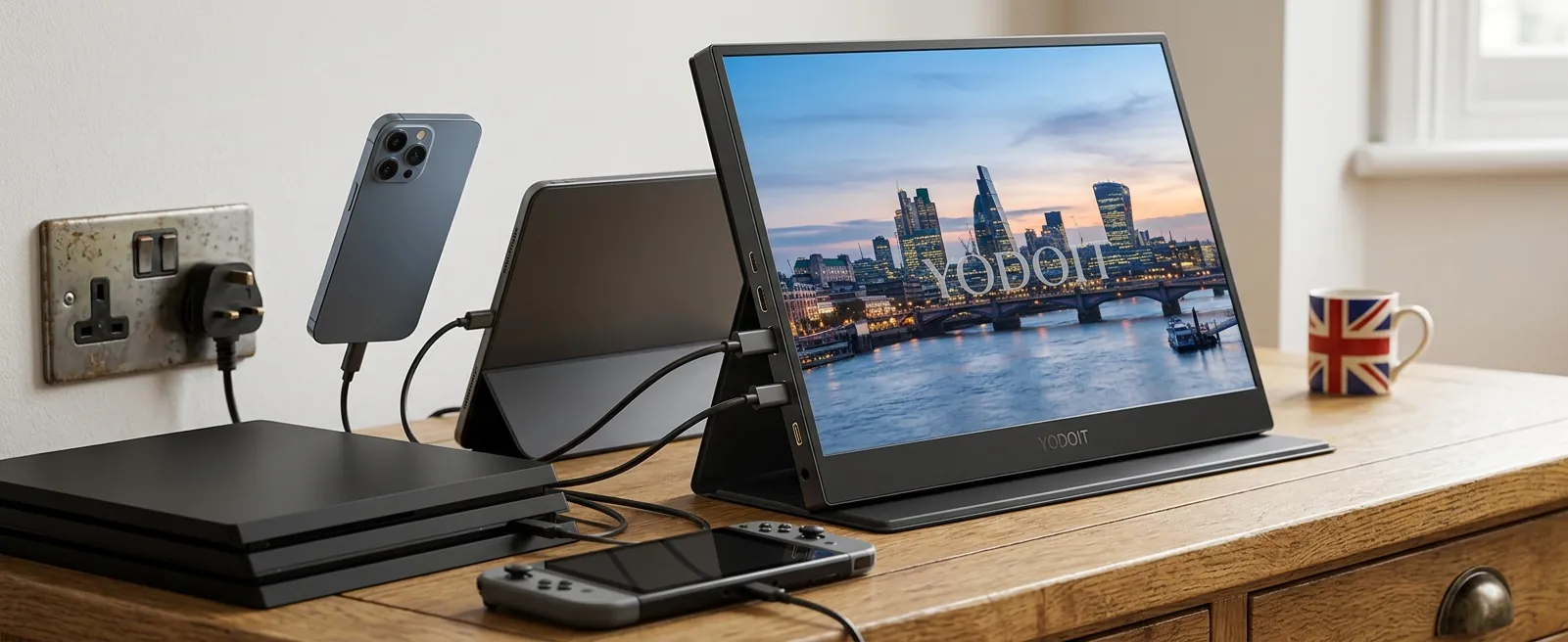
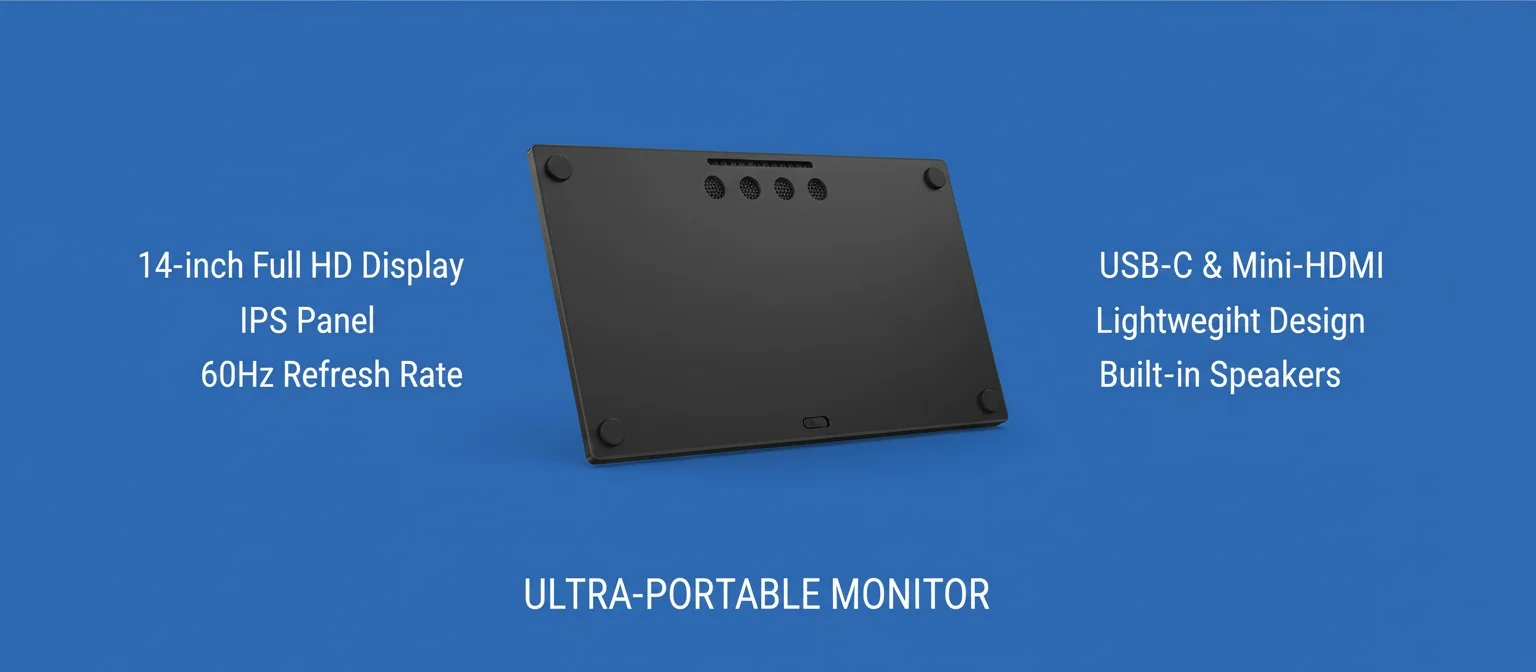
Straight up: Yodoit's current UK model is not a 4K screen, and we will not pretend otherwise. It is a 14 inch 1920 × 1080 panel with 100% sRGB at £104.78 including VAT, and that is exactly the class of screen the arithmetic above points most console players toward.
For a games bag it brings the right things: dual full-featured USB-C ports plus mini HDMI (so it takes a console over HDMI while charging over USB-C), built-in speakers, and a magnetic smart cover that folds into a table stand. It ships free anywhere in the UK with 30-day returns and a 12-month warranty, and it holds a 4.8-star rating from 200 reviews. If you later decide you do want 4K for a PS5, the checklist in this guide still applies; just expect around £200 as the realistic UK floor (closer to £240 for known brands), and confirm 4K60 over HDMI before paying.
Frequently Asked Questions
Can a PS5 output 4K to a portable monitor?
Yes. A PS5 will send 4K at 60Hz to a portable screen over HDMI, provided the panel and its input support HDMI 2.0-class bandwidth. Many budget 4K portables only accept 4K at 30Hz over mini HDMI, which is fine for films and unplayable for shooters, so check the listing states 4K60.
Is 4K worth it on a 15.6 inch portable screen?
Only for detail-rich single-player games and creative work viewed up close. At normal desk distance, 1080p on a 14 or 15.6 inch panel already looks sharp, and the £100-plus 4K premium buys a couple of new releases instead.
What does an Xbox Series S output on a portable monitor?
The Series S targets 1440p in most games and upscales its output; it is not a native 4K games machine. A quality 1080p portable suits it well, and money saved on resolution is better spent on refresh, lag and brightness.
What cable do I need to connect a console to a portable monitor?
A full-size HDMI to mini HDMI lead (or adapter) for video, plus a USB-C lead and plug to power the screen. PS5 and Xbox do not output video over USB-C, so the single-cable trick that works with laptops does not apply here.
Do portable monitor speakers work for late-night gaming?
Built-in speakers are fine for daytime casual play but thin for anything cinematic. After hours, plug headphones into the 3.5mm socket on the DualSense or Xbox pad; it keeps the house asleep and the party chat clear.
Key Takeaways
- Match the panel to the console: PS5 and Series X can use 4K60; Series S and Switch cannot make meaningful use of a 4K portable.
- Mind the HDMI bandwidth: a 4K panel with a 4K30 input is a trap for gaming; insist on stated 4K60 support.
- Lag beats pixels: measured input lag, native 60Hz and 300 nits do more for an away game than resolution.
- 1080p is the value play: at arm's length on 14 to 15.6 inches, Full HD looks crisp and leaves £100 or more in your pocket; 4K portables typically start around £200 in the UK.
- The Yodoit 14 inch FHD at £104.78 covers console duty with HDMI in, USB-C power, speakers and a fold-out cover, with free UK delivery and 30-day returns to try it on your own setup.
Ready to try YODOIT?
Shop Now — £104.78