Portable Monitor Stand UK: Set Up a Steady Dual-Screen Desk
Short answer: if your Yodoit's magnetic cover keeps sliding on a slick desk or you want the screen higher than table level, a dedicated portable monitor stand fixes it for £10 to £30. The cover remains the best zero-weight option for trains and cafés; a folding easel stand is the upgrade most owners actually need; a clamp arm only makes sense at a permanent desk. Here is how to choose between them, and how to run two screens without wobble.
Do You Need a Stand at All?
Every Yodoit ships with a magnetic smart cover that folds into a table stand, and for the first few months most owners never think past it. It weighs nothing extra in the bag, protects the panel in transit, and holds the screen at a sensible angle on a stable table.
A separate portable monitor stand earns its place when the cover starts limiting you. The usual triggers: the folded cover offers only one or two angles and neither suits your chair height; the screen sits too low next to a raised laptop; the desk is glass or polished and the cover creeps when you tap the touch controls; or you have added a second screen and the desk now needs order rather than improvisation.
The Three Types Worth Considering
Magnetic cover (the one you already own)
Zero added weight, zero cost, fine for level tables and short sessions. Its limits are angle choice and grip on smooth surfaces. Verdict: keep using it on the move; do not buy a second one as an upgrade.
Folding easel stand (£10–£25 typical)
The tablet-style aluminium easel folds flat to pocket size, weighs a couple of hundred grams, and gives five to eight click-stop angles. Look for silicone-lined hooks (they grip the bezel without marking it), a lip deep enough for a roughly 6 to 9 mm-thick panel, and legs that splay wide enough to resist a knock. This is the right buy for most people reading this page.
Clamp or desk arm (£20 and up)
Portable panels almost never have VESA mounting holes, so standard monitor arms are out unless you add an adapter shelf. Tablet-style clamp arms that grip the slab itself do work, raise the screen to eye level, and free the desk beneath. The trade-offs: they are not portable, cheap ones sag under a 15-inch panel over time, and you need a desk edge to clamp. Choose one rated for your screen's weight with a locking joint rather than friction alone.
One thing a stand cannot change is what the panel shows. If you are also eyeing a sharper or bigger second screen while you are at it, our 4K portable monitor guide covers when extra resolution is worth paying for and when it is not.
Choosing for a Dual-Screen Desk
Once a second Yodoit enters the picture, the stand question changes shape. Two screens on two folded covers eat a surprising amount of desk depth and never quite line up. What owners running a laptop-plus-two-panels desk tend to settle on:
- Match heights first. Two easel stands with the same click-stops let you align both panels with the laptop's screen line, which is what stops your neck complaining after an hour.
- Angle the wings in. Set each side panel toed in around 20 to 30 degrees. IPS panels hold their colour off-axis, but glare from a window will not forgive a flat layout.
- Portrait for reading. Many easel stands hold a panel in portrait; column documents and chat windows fit a vertical screen far better. Check the hook depth supports it before relying on the trick.
- Leave the cover on the travel screen. If one panel commutes with you and one stays home, give the stayer the stand and keep the traveller in its magnetic cover, so packing up stays a ten-second job.
Can One Laptop Power Two Screens?

The fear that stops most second-screen purchases: will one laptop actually drive both? The honest answer is usually yes, with a port map check first.
Each panel needs a video feed and power. The Yodoit takes video and power down a single full-featured USB-C lead, so a laptop with two USB-C ports that both carry DisplayPort Alt Mode runs two panels with two cables and nothing else. If your laptop has one video-capable USB-C plus an HDMI socket, run screen one over USB-C and screen two over HDMI into the Yodoit's mini HDMI, then feed that second panel power from a plug or power bank, because HDMI carries no power.
Two panels do pull meaningfully more from the battery. On the road that means dimming both or carrying a power bank; at a desk, plug the laptop in and let the mains do the work. If the laptop cannot keep both lit at full brightness on battery, that is the power budget talking, not a fault in either screen.
The Steady-Setup Checklist
Whatever stand you pick, wobble usually comes from the desk, the cable or the hooks rather than the screen. Ninety seconds of checks:
- Feet and surface: rubber feet on wood or laminate hold; on glass, add a silicone mat or a rubberised mouse pad under the stand.
- Cable strain: route the USB-C lead so it hangs slack. A taut cable is the most common reason a light panel tips backwards.
- Hook seat: seat the bezel fully into both hooks; a panel resting on one hook pivots every time you touch the screen buttons.
- Angle before height: set the recline to kill window glare first, then adjust height with the stand's steps, not by propping books underneath.
- Test the nudge: tap a top corner. If the panel rocks more than once, widen the legs or drop one click-stop flatter.
Fitting It Around Your Yodoit
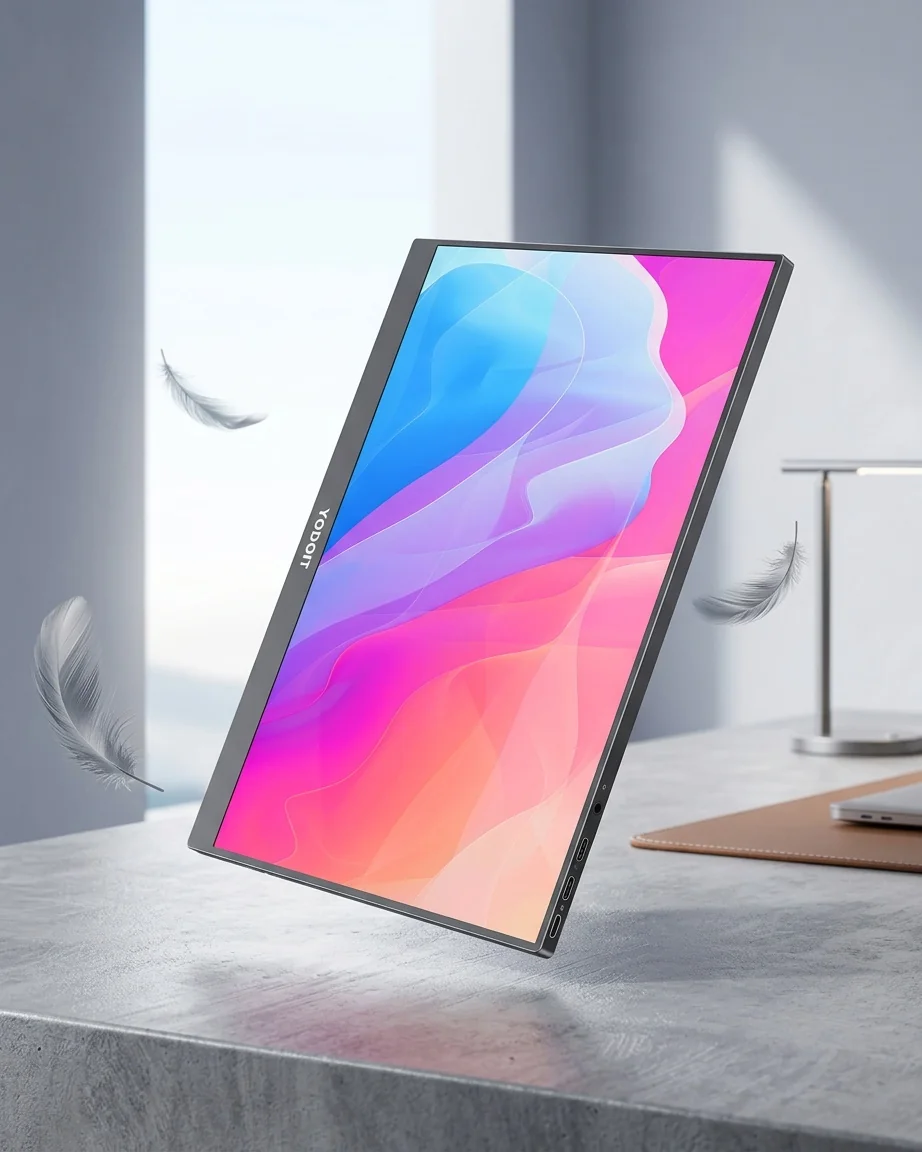
The current UK model is the Yodoit Portable Monitor, a 14 inch 1920 × 1080 panel with 100% sRGB at £104.78 including VAT, and it is an easy screen to stand: light enough for any easel in the price bands above and slim enough for standard silicone hooks. Its dual full-featured USB-C ports mean the cable can exit on whichever side keeps your desk tidy, and the built-in speakers keep working whichever way the panel is propped.
If you are adding a second panel rather than replacing your first, buying the same model keeps colour temperature and brightness consistent across the pair, which mixed-brand desks struggle with. Free UK delivery, 30-day returns and a 12-month warranty apply, and the 4.8-star rating across 200 reviews includes plenty of second-purchase owners. Replacement USB-C leads are the other thing worth ordering before you need them; the one that ships in the box has a habit of migrating to other jobs around the house.
Frequently Asked Questions
Do portable monitors fit standard tablet stands?
Mostly yes. A 14 to 15.6 inch panel sits happily in a tablet easel provided the hooks are deep enough for the bezel and the legs splay wide enough to counter the extra height. Check the stand's stated maximum size and weight rather than assuming, and prefer silicone-lined hooks that will not mark the frame.
Can I VESA-mount a portable monitor?
Almost no portable panels have VESA holes, the Yodoit included. If you want arm mounting, use a tablet-style clamp arm that grips the slab, or a VESA adapter shelf the panel rests in. A locking joint matters more than brand; friction-only arms sag under 14-inch panels over time.
What angle should a portable second screen sit at?
Start with the top edge at or just below your eye line and the panel reclined 10 to 20 degrees, then adjust to kill reflections. Side panels in a dual setup work best toed in around 20 to 30 degrees towards your seat.
How do I stop my portable monitor wobbling when I type?
Slacken the USB-C cable, seat the bezel fully into both hooks, and put a silicone mat under the stand on hard surfaces. If it still rocks, drop the stand one click flatter or widen its legs; typing vibration travels through tall, narrow setups first.
Is the magnetic cover enough, or do I need a separate stand?
For travel and short sessions the bundled magnetic cover is enough, and it is the lightest option you will ever carry. Buy a folding easel stand when you need more angle choice, extra height next to a laptop, or a steadier footing on smooth desks; that upgrade typically costs £10 to £25.
Key Takeaways
- The cover you own is the travel stand; a folding easel (£10–£25) is the desk upgrade most owners actually need; clamp arms suit permanent desks only.
- Portable panels rarely have VESA holes: choose tablet-style hooks or clamp arms with a locking joint, sized for a 14 to 15.6 inch slab.
- Dual-screen desks live or die on height matching: two identical easels and 20 to 30 degrees of toe-in beat any amount of improvisation.
- Two screens off one laptop works when the port map does: two video-capable USB-C ports, or USB-C plus HDMI with separate power for the second panel.
- The 14 inch Yodoit at £104.78 fits standard stands, runs on a single USB-C lead, and buying the same model twice keeps a dual setup colour-matched, with free UK delivery and 30-day returns.
Ready to try YODOIT?
Shop Now — £104.78