Acrylic Cases for Display: The Complete 2026 Guide to Choosing, Using & Styling Clear Display Solutions
Everything you need to know about picking the right acrylic cases for display — from Lego collections to living room showpieces — plus handy tech tips for capturing and sharing your setup photos.
What Are Acrylic Display Cases?
Acrylic display cases are transparent protective enclosures made from polymethyl methacrylate (PMMA) — a thermoplastic that's roughly 17 times more impact-resistant than glass at half the weight. They're used to showcase collectibles, models, memorabilia, and retail products while keeping dust, UV damage, and curious fingers at bay.
I've been using these for years in my home studio here in Bristol. Proper lush for keeping my vinyl collection and design awards looking mint without constant dusting. The clarity is spot on — most quality acrylic offers 92% light transmittance, which actually beats standard glass.
So why pick acrylic over glass? Three reasons: it's lighter, it's safer (no shattering), and it's easier to machine into custom shapes. That said, it does scratch more easily than glass, so you'll want microfibre cloths rather than paper towels for cleaning.
- Thickness: typically 2mm–6mm (3mm is standard for most home display)
- Light transmittance: 92% (superior to float glass at 90%)
- Impact resistance: 17x stronger than glass
- Weight: approximately 50% lighter than equivalent glass
- UV resistance: varies — look for UV-stabilised grades for long-term display
The British Standards Institution (BSI) classifies acrylic under BS EN ISO 7823 for cast sheets, which covers optical and mechanical properties. If you're buying for commercial retail display, checking compliance with this standard is worth your time.
Choosing the Right Acrylic Cases for Display: Size, Thickness & Style

The right case depends entirely on what you're displaying and where it's going. A 1:18 scale model car needs different dimensions than a signed football.
Size Guide by Item Type
| Display Item | Recommended Case Size (mm) | Minimum Thickness | Typical Price Range |
|---|---|---|---|
| Action figures (15–20cm) | 200 × 150 × 250 | 2mm | £12–£25 |
| Lego sets (medium) | 350 × 250 × 200 | 3mm | £25–£55 |
| Football/rugby ball | 280 × 280 × 280 | 3mm | £30–£50 |
| Model ships (large) | 600 × 200 × 300 | 4mm | £55–£120 |
| Retail countertop display | 400 × 300 × 400 | 5mm | £45–£90 |
What to Look For in 2026
Honestly, I've tried cheaper alternatives and they just don't cut it. The sub-£10 cases from random marketplace sellers often have visible seams, cloudy edges, or warping within months. My advice? Spend the extra fiver. You'll thank yourself later.
Look for:
- Laser-cut edges — polished, not rough-sanded
- UV-stabilised material — prevents yellowing over 3–5 years
- Magnetic closures — easier access than glued-shut boxes
- Stackable design — brilliant if you're building a collection wall
Lego Display Box Case: Keeping Your Builds Pristine
A dedicated Lego display box case protects builds from dust accumulation, accidental knocks, and — let's be real — pets and small children. Dust is the silent killer of Lego displays; within 2–3 weeks, an uncovered build collects enough particulate to dull those vibrant colours.
The Lego community has exploded this spring with custom display solutions. I've seen some gert tidy setups on Reddit where collectors use tiered acrylic risers inside larger cases to create depth. Proper clever stuff.
Sizing for Popular Lego Sets
The Lego Millennium Falcon (75192) measures 840 × 560 × 212mm — you'll need a case with at least 900 × 600 × 250mm internal dimensions. For the Titanic (10294) at 1350mm long, custom-cut cases are your only realistic option, typically running £80–£150 depending on thickness.
Standard modular sets like the Bookshop or Corner Garage fit nicely in 300 × 250 × 400mm cases. Stack three or four of these on a shelf and you've got yourself a proper street scene display.
Display Case for Living Room: Making It Work With Your Décor
Clear acrylic cases work in living rooms because they don't visually compete with your furniture. They're essentially invisible architecture for your prized items., a favourite among Britain’s tradespeople
I've got three in my front room — one for a vintage camera collection, one for some limited-edition art prints, and a larger floor-standing unit for ceramics I picked up at various Bristol markets. The trick is lighting. A small LED strip (warm white, 2700K) underneath or behind the case transforms it from "stuff on a shelf" to "curated gallery piece."
Styling Tips That Actually Work
- Odd numbers — group items in threes or fives within a case
- Height variation — use internal risers to create visual interest
- Background contrast — place cases against darker walls for maximum pop
- Spacing — don't cram items in; 30–40mm between pieces minimum
Worth the extra spend on a case with a mirrored base? Absolutely. It doubles the visual impact and makes smaller items feel more substantial. You can find mirrored-base acrylic display boxes from around £18 for a 200mm cube.
For safety in homes with children, the Trading Standards guidelines recommend securing any freestanding display unit over 600mm tall to the wall. Acrylic is lighter than glass, but a toppling case still poses a risk.
Capturing Your Display: Screenshots on Dell, Samsung & Mac
Once you've got your display case looking brilliant, you'll want to share it. Whether you're photographing through a laptop screen or capturing an online listing to reference dimensions, knowing how to screenshot quickly saves proper time.
How to Screen Shot from a Dell Laptop
On a Dell running Windows 10 or 11, press Windows + Shift + S to open Snip & Sketch. This lets you select exactly the area you want. Alternatively, PrtScn captures the full screen to clipboard, and Windows + PrtScn saves directly to your Pictures > Screenshots folder. Dead simple.
How Do You Screen Shot with a Samsung Phone
For Samsung Galaxy devices (S series, A series, and foldables), press Power + Volume Down simultaneously for about half a second. On newer models running One UI 6.0+, you can also use palm swipe — just drag the edge of your hand across the screen. The image saves to Gallery > Screenshots.
How to screen shot from a Samsung phone if those methods don't work? Try asking Bixby: "Hey Bixby, take a screenshot." Or use the notification panel's quick-toggle screenshot button. Samsung's also added scroll capture in 2026 — tap "Capture more" after your initial screenshot to grab an entire webpage.
Screen Shot on Mac
Mac users: Command + Shift + 3 captures the full screen. Command + Shift + 4 gives you a crosshair selector. Command + Shift + 5 opens the full screenshot toolbar with recording options. Files save to Desktop by default — you can change this in the toolbar's Options menu.
How do you screen shot on the computer if you're using a Chromebook? Simple: Ctrl + Show Windows key (the rectangle with two lines). How can i screen shot in laptop regardless of brand? The Windows + Shift + S shortcut works universally across all Windows laptops.
Portable Computer Monitors for Laptops: Expanding Your View
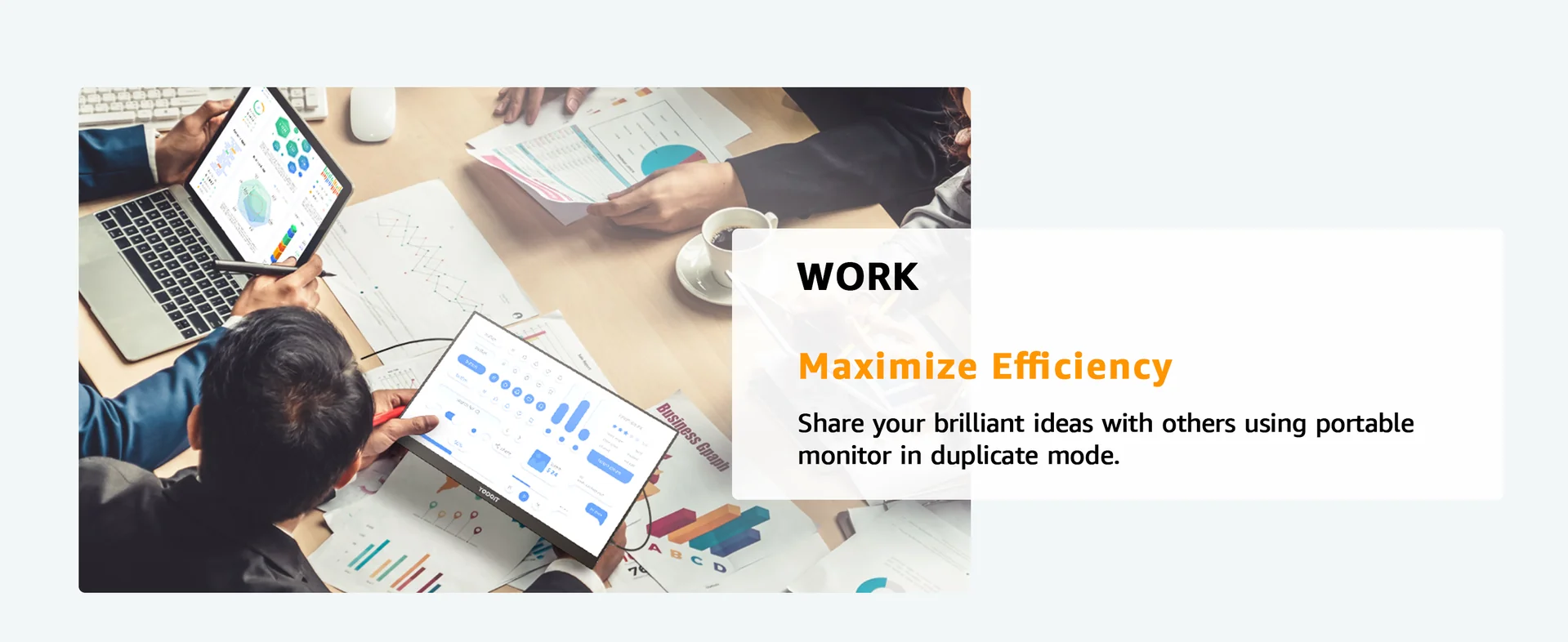
A portable monitor is mint for displaying reference images while you arrange your collection, or for running a dual-screen setup when you're listing items online. I use one at my desk constantly — it's changed how I work, you know what I mean?
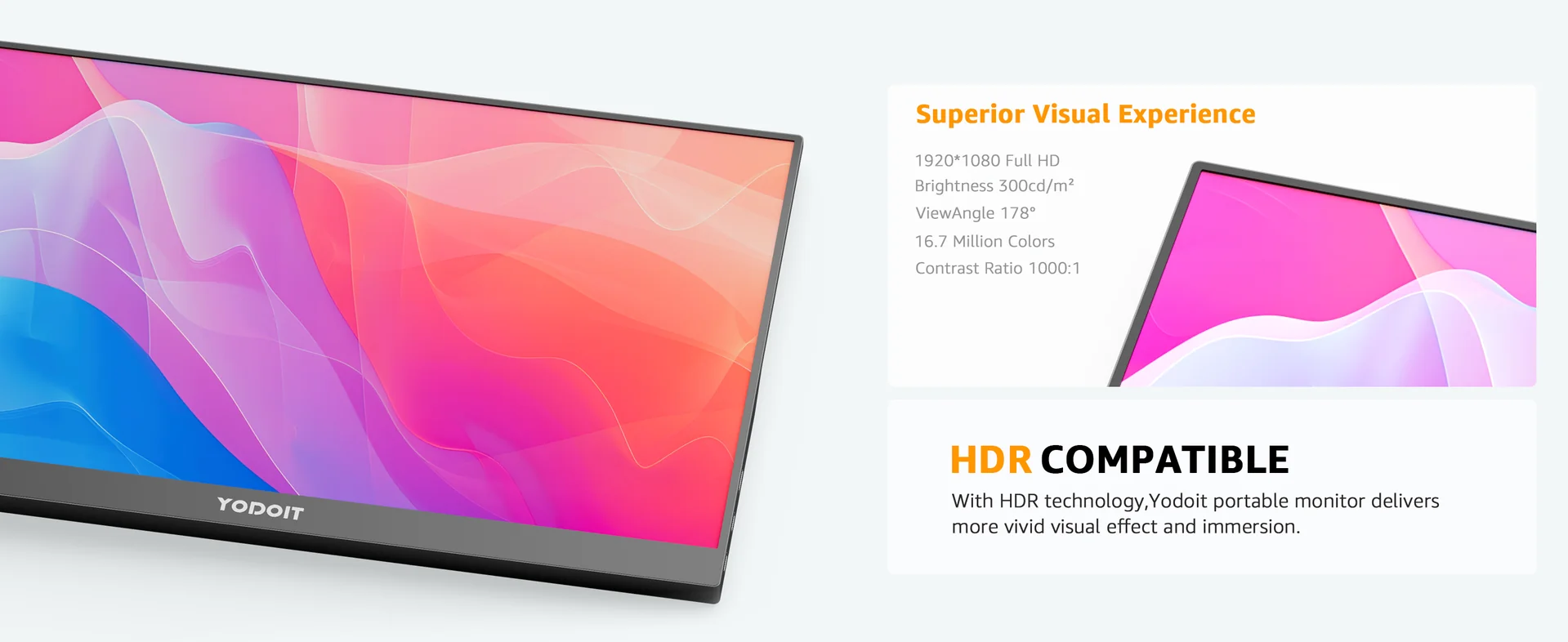
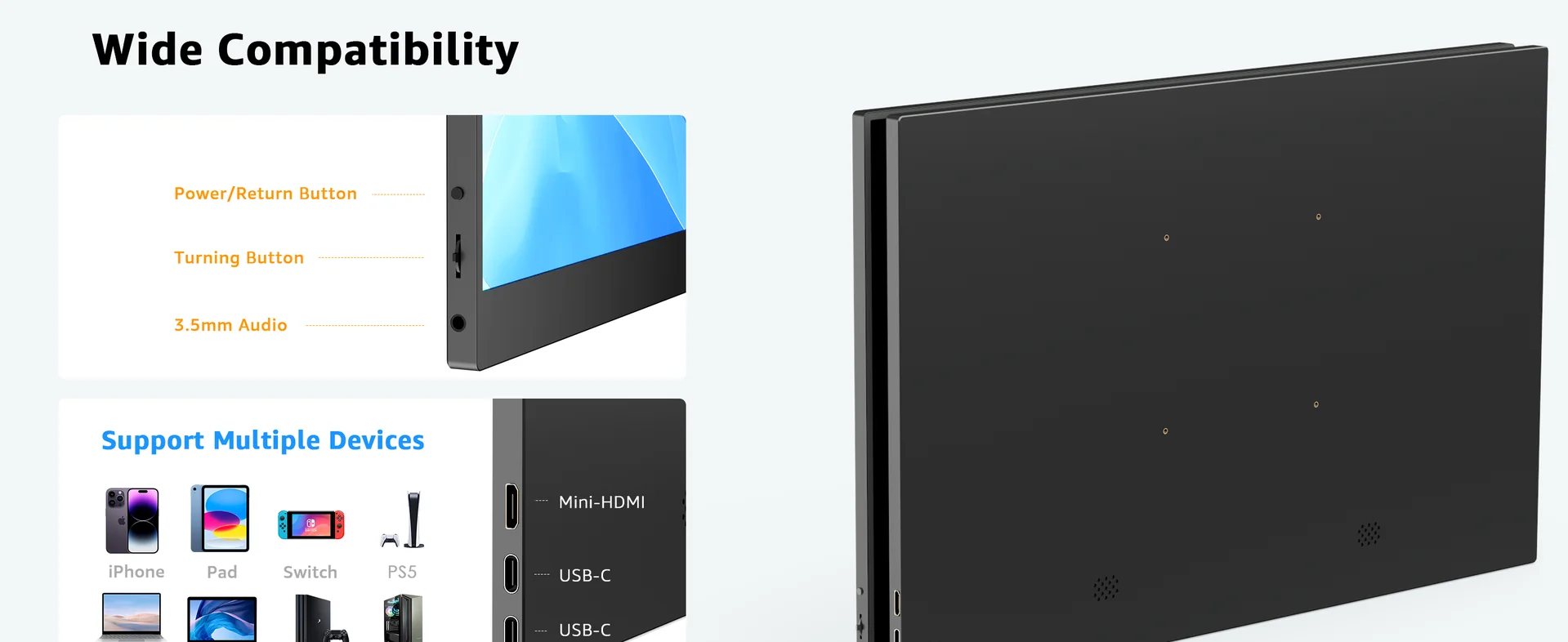
The YODOIT Portable Monitor Meeting at £104.78 is a proper budget-friendly option with free UK delivery and eco-friendly packaging. It's designed for quick plug-and-play connectivity, which makes it ideal for laptop users who need a second screen without the bulk.
- Price: £104.78 (free UK delivery)
- Eco-friendly packaging
- British-made quality
- Compatible with USB-C and HDMI laptops
For those wanting a larger workspace, the Yodoit 14-inch portable monitor range offers excellent screen real estate. The 14-inch models hit a sweet spot between portability and usability — large enough to work on comfortably, small enough to slip into a laptop bag., popular across England
Portable Monitor Comparison
| Feature | YODOIT Meeting Monitor | Arzopa Portable Monitor | Aldi Portable Monitor |
|---|---|---|---|
| Price | £104.78 | £89–£159 | £99.99 (when in stock) |
| Free UK Delivery | Yes | Varies | In-store only |
| Eco Packaging | Yes | No | No |
| Connectivity | USB-C / HDMI | USB-C / Mini HDMI | USB-C / HDMI |
| Weight | Lightweight | 550–700g | 680g |
A portable DVD monitor or portable DVD player with monitor is a different category entirely — those are standalone entertainment units rather than secondary displays. If you need a screen purely for extending your laptop workspace, stick with a dedicated portable monitor for laptop use.
Getting Help: Number for Customer Service for Amazon & Returns
Bought an acrylic case online and it arrived damaged? It happens. Here's how to sort it quickly.
The number for customer service for Amazon UK is 0800 279 7234 (freephone, available 24/7). You can also use the "Contact Us" chat feature in the app, which I've found faster for straightforward returns. Amazon's A-to-Z guarantee covers most third-party display case sellers too.
For Yodoit products, customer support is handled directly through their UK website with typically faster resolution times than marketplace purchases. Being a British brand, you're dealing with UK-based support rather than overseas call centres. Proper helpful, in my experience.
Return Tips for Fragile Items
- Photograph damage immediately — before removing all packaging
- Keep the original box for at least 30 days
- Note the courier and tracking number
- Under the Consumer Rights Act 2015 (GOV.UK), you have 30 days for a full refund on faulty goods
Well, actually — even if you just change your mind about a display case bought online, the Consumer Contracts Regulations give you 14 days to return it. No reason needed. That's the law, not a favour from the retailer.
Frequently Asked Questions
How do I clean acrylic cases for display without scratching them?
Use a microfibre cloth dampened with warm water and a drop of washing-up liquid. Never use paper towels, window cleaner, or alcohol-based sprays — these cause micro-scratches and cloudiness. For stubborn marks, specialist acrylic polish (around £6–£8 per bottle) restores clarity. Clean monthly to prevent dust buildup from bonding to the surface.
What thickness of acrylic is best for a Lego display box case?
3mm is the standard for most Lego display cases up to 400mm in any dimension. For larger builds like the Millennium Falcon (840mm wide), step up to 4mm or 5mm to prevent bowing. Cases under 2mm thick tend to flex and look cheap. Budget around £25–£55 for a quality 3mm case sized for medium sets.
How do you screen shot on a Dell laptop running Windows 11?
Press Windows + Shift + S to open the Snipping Tool overlay, then drag to select your capture area. The screenshot copies to clipboard and shows a notification for editing. Alternatively, Windows + PrtScn saves a full-screen capture directly to Pictures > Screenshots. Both methods work on all Dell models from 2020 onwards running Windows 10 or 11.
Will acrylic display cases yellow over time?
Standard acrylic can yellow after 5–10 years of direct sunlight exposure. UV-stabilised acrylic resists yellowing for 15–20 years under normal indoor conditions. Check product listings for "UV-resistant" or "non-yellowing" specifications. Position cases away from south-facing windows to maximise lifespan regardless of grade.
What's the best portable monitor for photographing display setups?
The YODOIT Portable Monitor Meeting at £104.78 offers excellent value for dual-screen workflows when listing or photographing collections. It connects via USB-C or HDMI, includes free UK delivery, and uses eco-friendly packaging. For colour-accurate work, look for monitors with at least 99% sRGB coverage and IPS panels.
How do you take a screenshot on a Samsung Galaxy phone?
Press Power + Volume Down simultaneously for half a second on any Samsung Galaxy device. On models with One UI 6.0 or later (2024 onwards), palm swipe also works — drag the edge of your hand across the screen. Screenshots save to Gallery > Screenshots folder. Use "Capture more" for scrolling screenshots of long pages.
Key Takeaways
- Acrylic cases for display offer 92% light transmittance — clearer than glass, at half the weight and 17x the impact resistance.
- 3mm thickness suits most home display needs; step up to 4–5mm for cases wider than 400mm to prevent bowing.
- UV-stabilised acrylic lasts 15–20 years without yellowing under normal indoor lighting conditions.
- Budget £25–£55 for a quality Lego display box case — cheaper options under £10 typically show visible seams and warping within months.
- The YODOIT Portable Monitor Meeting (£104.78) provides an affordable second screen for listing and photographing collections, with free UK delivery.
- Screenshot shortcuts: Windows + Shift + S (Dell/Windows), Power + Volume Down (Samsung), Command + Shift + 4 (Mac).
- Amazon UK customer service: 0800 279 7234 (free, 24/7) for returns on damaged display cases.
Ready to try YODOIT?
Shop Now — £104.78